

Falcon C2 Turns the Browser Into an Espionage Platform
Palo Alto Unit 42 details Falcon C2, a browser-focused framework that abuses scripts, extensions and OneDrive-linked Antino implants.

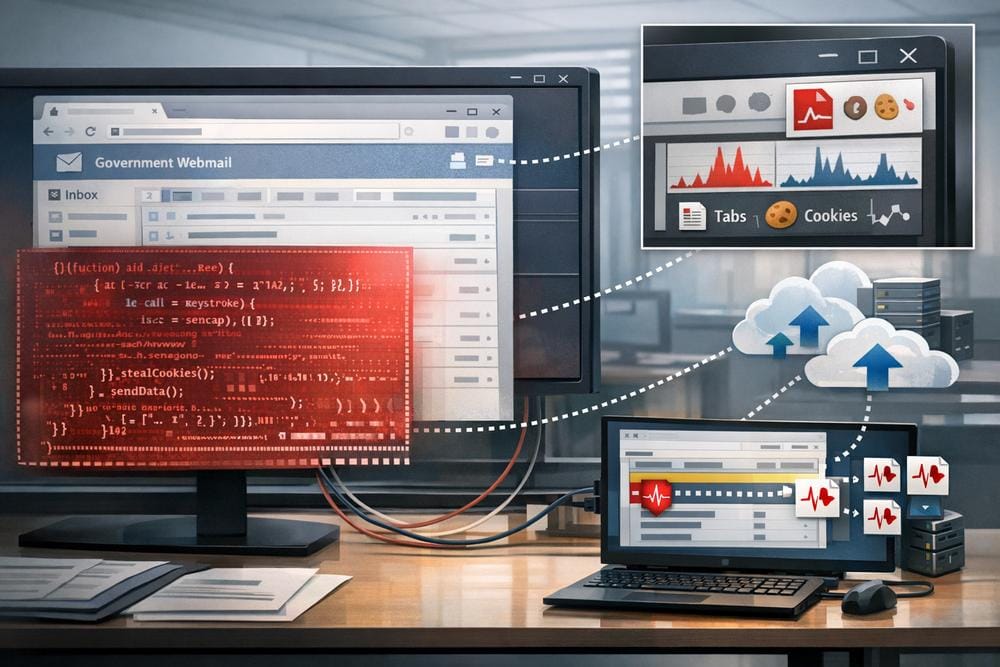
Modern browser security programs generally focus on malicious downloads, unsafe extensions and suspicious web destinations as separate problems. Falcon C2 combines them into a single browser-centered intrusion framework. In research published by Palo Alto Unit 42, the framework is described as compromising visitors to webmail portals and government applications through injected JavaScript, then extending access with browser extensions and, in some cases, a separate Windows implant called Antino.
The distinction matters because much of Falcon’s activity occurs inside the browser rather than through a conventional executable dropped onto disk. The framework can capture browser-held data, observe web traffic, use a victim’s authenticated session to reach resources, and maintain command-and-control through encrypted WebSockets. Unit 42 also identified campaigns affecting government entities in one Middle Eastern country and four Southeast Asian countries between March and May 2026. The organizations included ministries, police and justice bodies, military entities, intelligence and corrections agencies, and government email systems.
A browser-native intrusion chain
The observed activity begins when a user visits a compromised web application. Unit 42 reported that operators inserted a script tag into targeted portals, including a Roundcube webmail portal, causing the site to request content from Falcon infrastructure. The server then generated an implant tailored to the browser session. This approach allows the initial code to execute in the page context without requiring an immediately visible local malware file.
The implant is assembled from two JavaScript components: a configuration file and a file containing communication and command functions. Falcon combines the files and obscures the resulting script by applying a one-byte XOR operation to each character, converting the output into integers, and placing a small decoder in front of the numeric data. For defenders, a large numeric JavaScript array accompanied by a short decoding routine is therefore a useful investigative clue, particularly when it appears in an internal web application or arrives from an unfamiliar domain.
Falcon also creates a persistent browser-side session identifier. Unit 42 observed a 32-character lowercase alphanumeric identifier stored through several mechanisms: browser local storage, a cookie, and, when the Falcon extension is present, extension storage. The names imitate analytics-related data, including Hm_lvt_$ in local storage and Hm_lvt__<session-id> in cookies. The cookie was reported with a long expiration date extending to 2099. These artifacts can help incident responders distinguish an ordinary web session from a browser that has been enrolled in Falcon.
Encrypted browser communications
When the affected page remains open, the implant maintains a TLS-protected WebSocket connection to the command server and sends a heartbeat approximately once per minute. Unit 42 reported that the framework also supports Comet as a fallback. In that mode, exchanged payloads are not encrypted by the application layer, an important difference for network investigations.
For its principal WebSocket channel, Falcon adds AES encryption on top of TLS. The server supplies an RSA public key, after which the browser generates AES key material and an initialization vector using the Web Crypto API. The browser encrypts those values with the server’s RSA key and sends them back in a key-exchange message. Subsequent data is encrypted with AES-256-CBC. If the Web Crypto API is unavailable, the implant falls back to URL encoding and Base64 rather than using the normal cryptographic process.
After key exchange, the implant registers information about the active environment, including the current URL and domain, browser User-Agent string and an IP address assigned by the Falcon backend. It can also retrieve an operator-defined remark from local storage or cookies. The framework supports JavaScript execution through an evaluation function, session labeling, JSON transmission and arbitrary data exfiltration. Unit 42 also documented a notification function that can send information to Telegram.
Extensions turn access into broad browser control
The page-based implant is only one layer. Falcon includes Chrome and Firefox extensions that Unit 42 found to be functionally similar. The Chrome version presents itself as a PDF reader named “PDF Viewer,” but requests broad permissions and injects code into visited pages. The researchers said they did not know how operators deployed the extensions. They assessed that social engineering or a deployment utility may have been used, and observed management-panel evidence of tools named firefox.zip and browser.exe. Unit 42 did not recover those utilities, so their actual behavior remains unconfirmed.
Once installed, the extension establishes several cooperating components, including a background service worker, an offscreen document, a sandbox and content scripts. It downloads the Falcon implant, passes code between these components and executes the implant within the extension’s sandbox. A separate script is injected when the victim visits X or Twitter pages.
The extension’s documented collection scope is extensive. It can monitor browser credentials, cookies, history, downloads and clipboard activity. It can capture web requests and responses involving JSON or text content, and it can retain intercepted network data in a first-in, first-out cache of up to 500 requests. Unit 42 also described modules for collecting Gmail data through the victim’s authenticated session, Discord messages and friend lists, Zalo chat databases, and X or Twitter direct messages when the victim is viewing a conversation.
Falcon can also use the browser as a proxy. An operator sends a request to the implant, which passes it to the extension. The extension constructs the request using the victim’s credential store, then returns the response through the C2 WebSocket in Base64-encoded JSON. This creates a route for session-aware access to internal resources and can facilitate session hijacking. The report documents the capability; it does not establish that every observed victim experienced every possible collection function.
Other extension features create additional risk. Download interception rules can cancel a matching download, remove it from browser history and redirect the request to an operator-controlled location while preserving the original filename. Network hooks can observe or replace selected requests, including possible software-update traffic. Clipboard rules can capture data or replace matching strings. These capabilities make extension governance, rather than only endpoint malware scanning, a central defensive requirement.
Antino adds a Windows persistence layer
Falcon also served as a delivery mechanism for Antino, a Rust-based Windows implant identified by Unit 42. In one campaign, a fake Adobe Flash update prompt attempted to deliver Antino to selected users. The researchers identified an Antino sample named flashcenter_pp_ax_install_en.exe, with SHA-256 0c39264337a1186b2e765e24073399cbdcba118306614eb411e315887af578bd.
Antino stores configuration data in a PE section and protects it with a two-byte XOR key. The decoded configuration contains Microsoft OneDrive credentials and a campaign remark. For persistence, the implant copies itself beneath %LOCALAPPDATA%\Windows GatherOSStateKit\, creates or reads a bot identifier, and uses a diagnostic answer file to cause sdiagnhost.exe to add Antino to a Windows Registry Run key. Unit 42 also observed references to DLLs associated with earlier sideloading versions, but reported that the analyzed implant did not import those files. That distinction is important: DLL sideloading is part of the reported history of Antino, not a confirmed behavior for every sample.
Antino uses Microsoft OneDrive as its C2 channel. It writes a heartbeat as antino/heartbeat/<bot-id>.json and searches for command files using a timestamped naming pattern. The documented command set includes system information collection, directory listing, shell and PowerShell execution, program execution, file upload and download, persistence management, client shutdown and Rhai script loading. Unit 42 said it had not observed Rhai scripts being used in the wild.
Attribution and framework overlap
Unit 42 compared Falcon with a scripting framework previously reported by Trend Micro as PeckBirdy. The researchers found close similarities in URL structures, payload delivery, communications and session-storage naming. Falcon adds a /config/ path prefix to the compared routes and negotiates an AES session key using RSA, while the comparison framework reportedly uses a predetermined AES key. Unit 42 assessed with high confidence that Falcon and PeckBirdy are variants of the same core framework. This is a research assessment, not a definitive public attribution to a named threat actor.
The report also describes Falcon’s management panel as deliberately inconspicuous. It initially displays a blank page, suppresses the context menu and reveals its login form only after three presses of the F9 key. Victim-facing listeners were observed serving simple JavaScript games such as Tetris or Snake. These findings illustrate the framework’s effort to blend into ordinary web content, but the presence of a game or concealed panel alone should not be treated as proof of compromise.
What organizations should do now
- Control browser extensions centrally. Block unauthorized developer-mode and sideloaded extensions, require allowlisting, and review extensions requesting broad permissions such as
<all_urls>, credential access, network interception, native messaging or debugger access. Pay particular attention to extensions posing as common utilities such as PDF viewers. - Inspect critical web applications. Review templates, headers and content-security controls for unexpected script tags or external resources. Examine JavaScript served to users for unusually large numeric arrays paired with short decoder routines.
- Hunt for browser artifacts. Search managed browser profiles and enterprise telemetry for
Hm_lvt_$,Hm_lvt__and related storage entries on internal applications where Baidu-style analytics identifiers have no legitimate purpose. - Monitor browser-mediated network activity. Look for long-lived WebSocket sessions from sensitive portals, repeated small JSON exchanges with unfamiliar infrastructure, and unusual browser requests that use stored credentials to access internal services.
- Review OneDrive activity. Investigate OAuth access to external or unexpected OneDrive tenants and repeated writes of small JSON files under paths resembling
antino/heartbeat/orantino/antino_upload/. Validate the tenant, application and user identities involved. - Protect privileged browser data. Use phishing-resistant multifactor authentication, shorten session lifetimes where practical, and require reauthentication for sensitive administrative functions. If browser compromise is suspected, invalidate sessions and rotate credentials after containment.
- Preserve evidence before cleanup. Capture extension manifests, browser storage, relevant web-server files, proxy logs, OneDrive audit records and endpoint artifacts. The browser context may contain the most useful evidence even when no obvious executable is present.
Conclusion
Falcon C2 demonstrates how a browser can become both the initial execution environment and a durable access platform. Malicious page scripts provide entry, extensions expand collection and proxying, and Antino can add Windows persistence with OneDrive-based command traffic. The most effective response is layered: govern extensions, monitor web-application integrity, inspect browser storage and WebSocket behavior, and correlate browser activity with identity, endpoint and cloud logs. Unit 42’s findings also show why suspicious browser behavior deserves the same investigative priority as a conventional malware alert.
Sources
Palo Alto Unit 42: “The XG Files: Falcon C2 Flying Under The (Browser) Radar”