

Atomic macOS Stealer: How Deceptive Setup Guides Deliver AMOS
Palo Alto Unit 42’s lab analysis shows how deceptive macOS setup instructions deliver AMOS, harvest sensitive data, and establish persistence.

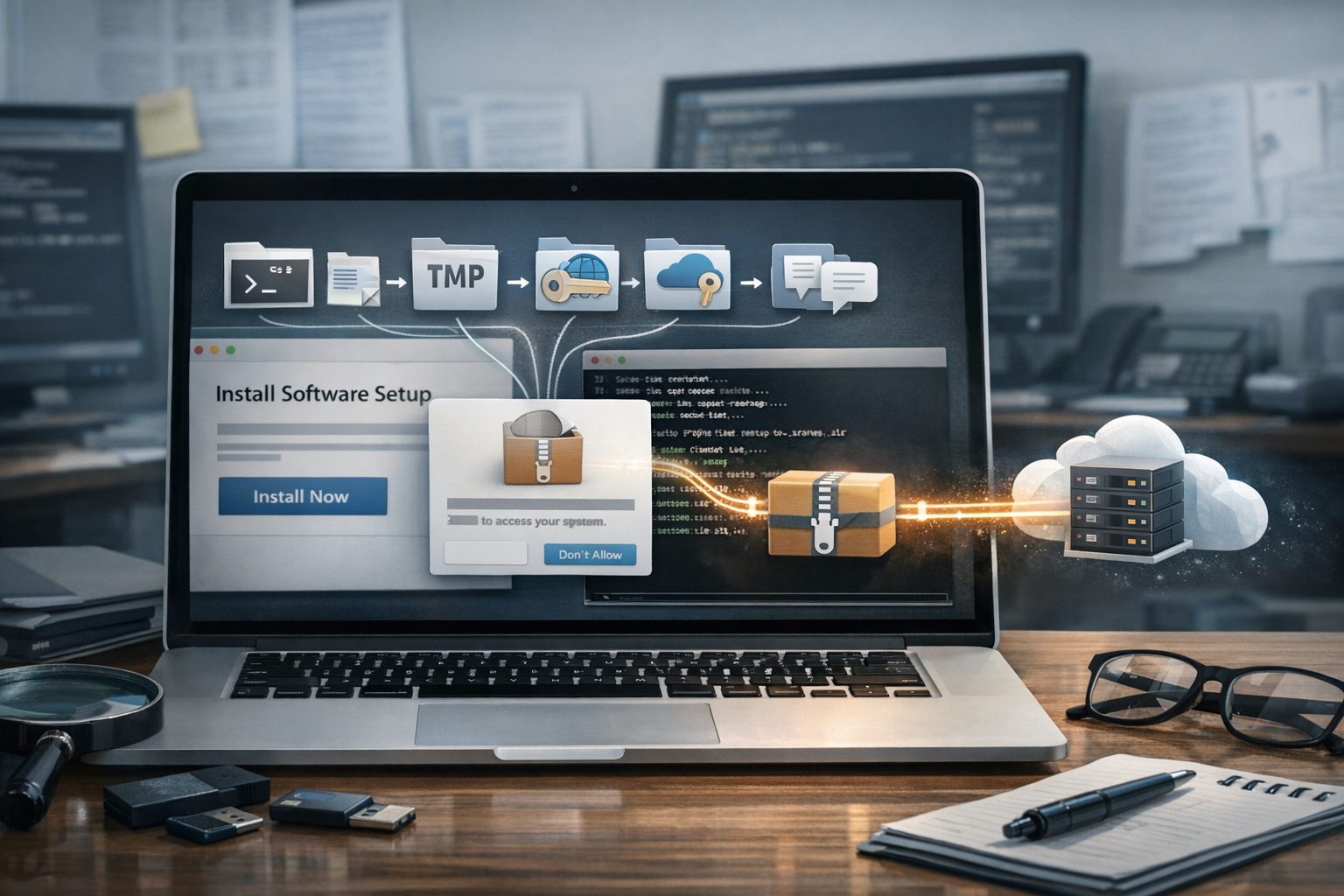
macOS users are often advised to avoid suspicious downloads, but the Atomic macOS (AMOS) stealer activity examined by Palo Alto Unit 42 demonstrates why that advice must also cover suspicious installation instructions. In the activity analyzed by Unit 42, a website presented a supposed “macOS toolkit” setup process. The instructions directed the user to copy text into Terminal, ultimately downloading and installing AMOS.
Unit 42’s research describes a laboratory-generated infection observed on Aug. 5, 2026. It is a technical snapshot rather than a measurement of the malware’s entire operation, and the researchers stress that associated domains, file names, paths, hashes and IP addresses change frequently. The report therefore provides useful behavioral context and forensic examples, but its indicators should not be treated as permanent signatures.
What Unit 42 confirmed
AMOS is an information-stealing malware family targeting macOS. According to Palo Alto Unit 42, it has been advertised on Telegram since at least April 2024 and has appeared in several distribution models, including malicious advertising, campaigns using cracked-software lures, and activity that uses deceptive copy-and-paste instructions. Unit 42 has assessed that AMOS can collect system information, credentials and other sensitive data from applications such as web browsers and cryptocurrency wallets.
The specific sample was delivered through getmacouscloud[.]com, a site that claimed to provide quick instructions for installing a macOS toolkit. Unit 42 distinguishes this technique from the classic ClickFix pattern, which commonly uses a fake verification page and clipboard-based commands. In this case, the important defensive fact is not the label but the workflow: the user was persuaded to place attacker-provided text into a macOS Terminal window and execute it.
The research does not identify victims, a named threat actor or a specific organization targeted by this activity. It also does not provide a CVE. The evidence comes from a controlled laboratory infection and should not be read as confirmation that the same infrastructure or files remain active.
The infection chain
The initial website supplied text that, when copied into Terminal, retrieved a Z shell script. Unit 42 observed that script at the following defanged URL:
hxxps://ferncore13[.]com/curl/608e70d1338612686917ee5cd300ff7ed8e318dfd787a50257f92142e99bd688
The downloaded script contained Base64-encoded content. That content represented a GZIP-compressed follow-on Z shell script, which was designed to retrieve and run a Mach-O binary. The installer binary was written to /tmp/helper. A plist file named starter was also present in /tmp.
The plist referenced a newly created file under the user’s application-support directory. Unit 42 found a shell script named .service in /Library/Application Support/.com.apple.accountsd/. That script launched a Mach-O file named AccountsHelper. A second directory, /Library/Application Support/.com.apple.metadata.mds/, contained similarly styled files: .mdworker and mdworker_shared. The former launched the latter Mach-O binary.
These locations and names resemble legitimate macOS services, but the research does not claim that the malware modified Apple system components. Rather, the artifacts were placed in user application-support paths and used names intended to blend into the operating-system environment. The observed arrangement is relevant for forensic review and endpoint monitoring.
User approval was part of the attack
The infection did not proceed silently in the Unit 42 test. macOS displayed a prompt requesting the user’s password. The laboratory system used an administrative account, and the installation continued after the password was entered.
Terminal subsequently requested several permissions. The prompts covered control of Finder, access to files in the user’s Desktop and Documents folders, and control of the Notes application. This is an important operational detail: the chain depended not only on a deceptive website and a command pasted into Terminal, but also on the user accepting privilege and privacy prompts.
For administrators, this means that macOS permission dialogs should be treated as security decisions, not routine setup steps. A user who has just followed instructions from an untrusted site may be especially likely to approve prompts without understanding their implications.
What AMOS collected
Unit 42 found that the malware collected information under /tmp and compressed it into out.zip. The archive structure indicated searches for several categories of data:
- Cryptocurrency wallet data associated with Binance and TonKeeper.
- Files associated with AWS, Docker, FileZilla and Google Cloud.
- The user’s Z shell history.
- Telegram data.
- A file named
infoand a file namedusername.
The test machine was a clean macOS installation without additional applications. Consequently, the archive’s directories show what the stealer searched for rather than proving that every listed application or data set was present on the host. This distinction matters when interpreting a forensic artifact: a directory can reflect a malware collection target even when no usable credentials were available.
Unit 42 also reported that AMOS targets system information, browser credentials and other sensitive application data. The research does not provide a complete inventory of every data field collected by the family, so defenders should avoid assuming that the listed archive contents represent the full capability set of all AMOS versions.
Network behavior and changing infrastructure
After installation, the observed traffic consisted primarily of HTTP POST requests to a command-and-control server. In the Aug. 5 laboratory infection, Unit 42 recorded the defanged IP address 161[.]35[.]146[.]120. Earlier activity from July 31 used a different server, 188[.]166[.]78[.]138.
The POST request paths exposed collection stages through strings including stage=boot, stage=init_session, stage=messengers, stage=credentials, stage=browsers, stage=wallets, stage=resolve_auth and stage=local_data. These names are useful behavioral clues, although they should not be treated as a complete protocol description.
The extracted payload also referenced the following defanged URLs:
hxxps://grove-89[.]com/api/metrics/run?event=pastedhxxps://ferncore13[.]com/2kqYRM0DCrnyJgoS4gVLl_FHJRRdTUhGCbjyuYwpZ6c/m1/update
Unit 42’s assessment is that AMOS infrastructure and artifacts evolve rapidly. The researchers observed changes across a short period in C2 addresses, domains, file names, hashes and directory paths. That finding argues for combining indicators with process, file-system and permission telemetry rather than relying on a static blocklist.
Indicators from the analyzed infection
The following indicators are explicitly reported by Unit 42 for this laboratory sample:
- Initial Z shell script SHA-256:
71781ad8adefb499aee9bcbe1a166e69ccc37a47066682f617d65c76d8cde88c. - Extracted Z shell payload SHA-256:
7ea6ff8b12c59aaae1ab6f4f5a57045dad5a8127954f3ffd3d1c154d40d7ca3a. - AMOS installer SHA-256:
a598fcdcd49247312861ff90c16cb4a5d49fede6072e30e7416dd276668fa2a9; observed at/tmp/helper. - Persistent binary SHA-256:
6bfcdb4920383375b7e519918df7eb4db751b974b5571a15ce66b82478012620; observed at/Users/[username]/Library/Application Support/.com.apple.accountsd/AccountsHelper. - Second persistent binary SHA-256:
4504006d1911057be42435d4625f03d83c4d0b7b6898d14beb9cdeba6cf667b9; observed at/Users/[username]/Library/Application Support/.com.apple.metadata.mds/mdworker_shared.
Because Unit 42 reports frequent changes, security teams should validate these indicators against current intelligence before using them for blocking or retrospective hunting.
What organizations should do now
- Block the delivery pattern. Use web and DNS controls to restrict known malicious infrastructure, while recognizing that domains and IP addresses can change. More importantly, educate users that websites should not be trusted to supply commands for Terminal.
- Monitor Terminal-driven downloads. Alert on Terminal or shell processes that retrieve remote scripts, decode Base64 or unpack compressed content, especially when followed by execution of a newly downloaded Mach-O file.
- Review macOS permissions. Investigate unexpected requests for Finder control, Desktop and Documents access, Notes access, or other privacy permissions from Terminal or unfamiliar processes.
- Hunt for artifacts. Examine temporary files such as
/tmp/helper, suspicious plist files, and unusual executables or shell scripts under application-support directories. Names resembling system services should not be trusted without validating their path, signer and provenance. - Inspect outbound traffic. Look for unexpected HTTP POST activity and request paths containing collection-stage terms. Network findings should be correlated with the initiating process and the files created on the endpoint.
- Protect credentials after suspected exposure. If AMOS activity is suspected, isolate the Mac according to incident-response procedures, preserve relevant evidence, and reset potentially exposed credentials and tokens from a clean device. Review cloud, developer, messaging and cryptocurrency accounts as appropriate to the data present.
- Reduce unnecessary privilege. Standard user accounts and controlled authorization workflows can limit the impact of a user approving a malicious installer, although they do not replace application and web protections.
These are general defensive recommendations derived from the observed behavior. They are not a substitute for the organization’s incident-response plan or for vendor-specific macOS management controls.
Conclusion
The AMOS activity analyzed by Palo Alto Unit 42 combines social engineering, shell execution, user-approved permissions, disguised application-support paths and staged data collection. Its most durable defensive lesson is not any single domain, IP address or hash. It is the sequence: a deceptive setup page convinces a user to paste commands, the commands retrieve and unpack scripts, Mach-O components are installed, permissions are requested, and targeted data is compressed and sent to changing infrastructure.
Organizations that monitor this sequence—and teach users to reject unsolicited Terminal instructions—will be better positioned to detect AMOS variants even when individual indicators have changed.